
Google Sheets for Beginners with AI
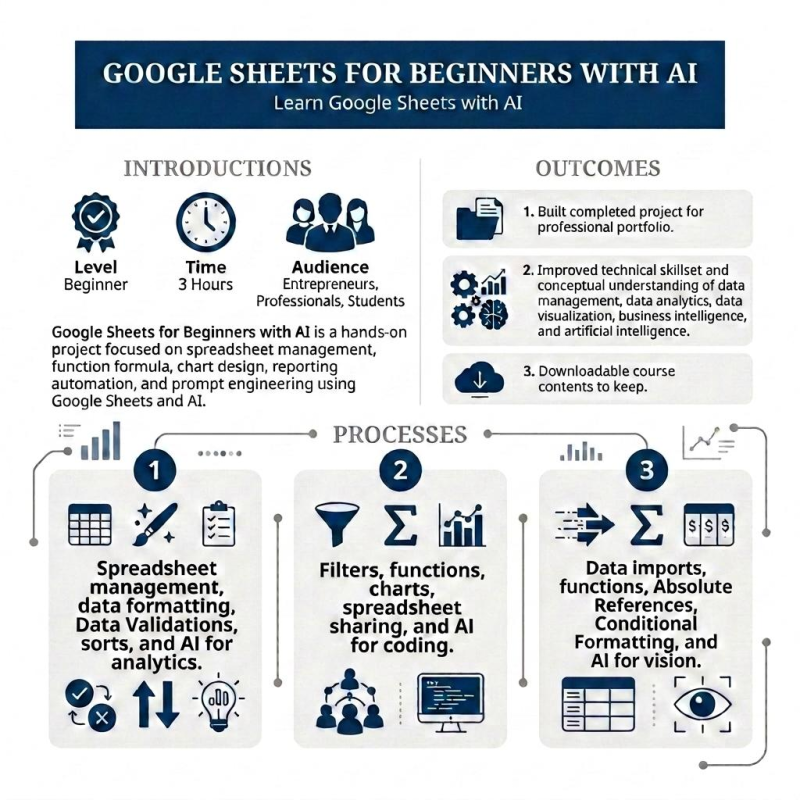
Google Sheets for Beginners with AI is a project-based course focused on spreadsheet management, function formula, chart design, reporting automation, and prompt engineering using Google Sheets and AI.
• Level - Beginner.
• Time - 3 Hours.
• Audience - Entrepreneurs, Professionals, Students.
Outcomes - By the end of this course, learners will have:
• Built completed project for professional portfolio.
• Improved technical skillset and conceptual understanding of data management, data analytics, data visualization, business intelligence, and artificial intelligence.
• Downloadable course contents to keep.
Processes - During this three part course, learners will leverage Google Sheets for data management, data analysis, data visualization, business intelligence, and artificial intelligence:
• Part 1 - Spreadsheet management, data formatting, Data Validations, sorts, and AI for analytics.
- 1.1. Introduction to Part 1
- 1.2. Duplicate Your Sheet and Add New Data
- 1.3. Format and Organize Spreadsheet Data
- 1.4. Continue Formatting and Organizing
- 1.5. Add Data Validation to Limit Options
- 1.6. Sort Your Data
- Try with AI - Analytics
• Part 2 - Filters, functions, charts, spreadsheet sharing, and AI for coding.
- 2.1. Introduction to Part 2
- 2.2. Create Filters and Use Filter Views
- 2.3. Use Filters to Count, Add, and Summarize Data in a Table
- 2.4. Use the SUM Function to Analyze Data
- 2.5. Display Data in a Chart
- 2.6. Use COUNTIF to Generate Numeric Data with Text Values
- 2.7. Share and Collaborate
- Try with AI - Coding
• Part 3 - Data imports, functions, Absolute References, Conditional Formatting, and AI for vision.
- 3.1. Introduction to Part 3
- 3.2. Add a New Sheet to Your Spreadsheet
- 3.3. Use Functions to Summarize Data
- 3.4. Use Functions and Absolute Cell References to Transform Data
- 3.5. Find the Minimum, Maximum, and Average Values
- 3.6. Use Conditional Formatting to Highlight Data
- 3.7. Insert Links, Images, and Drawings
- Try with AI - Vision
Downloadables
• 1 PDF file containing the course with linked supplemental resources.
Prerequisites
• Minimum - Computer with Internet, Google Sheets, Google Drive, MS Excel, and preferred AI model (Google Gemini is recommended for the course modules, but OpenAI ChatGPT or Anthropic Claude also fulfills prerequisites).

Richard Kim
[5.0 rating over 4 reviews from another lesson platform] I am a data scientist specializing in accounting and finance with 10 years of experience spearheading complex data analytics, business intelligence, data engineering, database management, and data warehousing projects across diverse technologies, functions, and sectors.