
About Downloadables
Downloadables are a format for teachers who would like to offer PDFs or other simple pieces of original content for download by students. Create and publish Downloadables to share with your existing students, and to have a great actionable content piece for connecting positively with new students. You can also add pricing to Downloadables, and earn based on your sales.
Read on for how to create this content and how to create your referral links for sharing.
To create a Downloadable, go to the "More" option in the left-hand navigation, and click Downloadables. 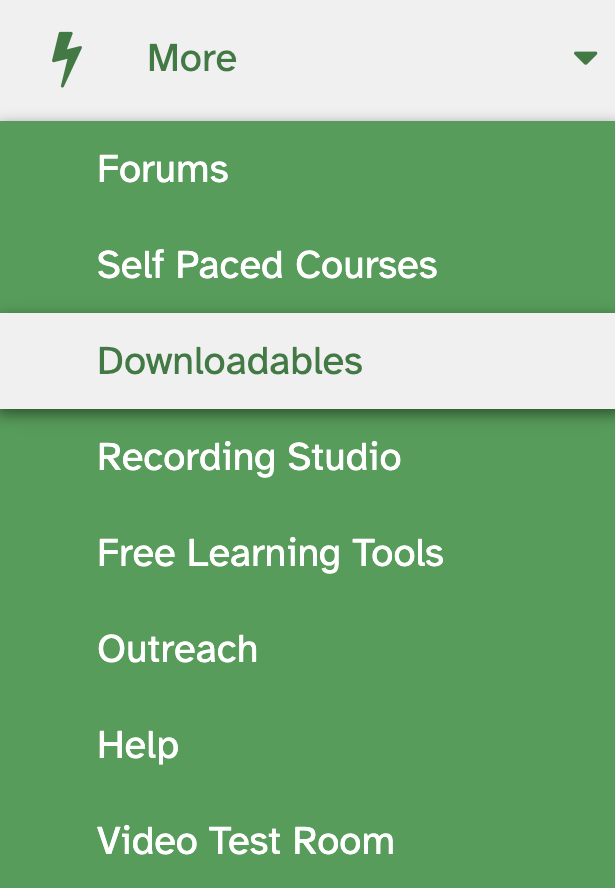
The first step is title and price, which can be changed later. Downloadables can be free.
Downloadables must be original to the author or public domain content, like all files shared via the Lessonface platform, as is described in our site terms. The fees from Lessonface on Downloadables' sales will be the same as for Self-Paced Courses. See the details at https://lessonface.com/fees
There are two pages that need to be completed, the Downloadable page and Sign-up page. The Sign Up page is the page that describes the content that is available for download, and where the student would go to sign up for it. The Downloadable page is the page the student will gain access to after they sign up for the downloadable.
Both editable pages are accessible from the "Downloadables" page in the left-hand menu: https://www.lessonface.com/downloadables
Once you have completed both the private and the public page for the Downloadable, and you're ready to make it available for students, click "Publish."
If you'd like to see an example of what a Downloadable looks like, check out Lessonface's First Ten Hanon Exercises.
To promote your Downloadable content, you can share the Sign Up page. Create a referral link for your Sign Up pages by clicking on the Sign Up page, then create your referral link with this little link icon in the left hand navigation. The link creation tool is available around the site on publicly accessible pages for easier creation of referral links. Go to your outreach page to manage your referral links and review your referral activity.
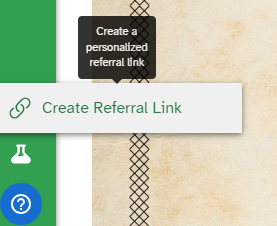
On the referral page, you can call your downloadable link something memorable, and start sharing.
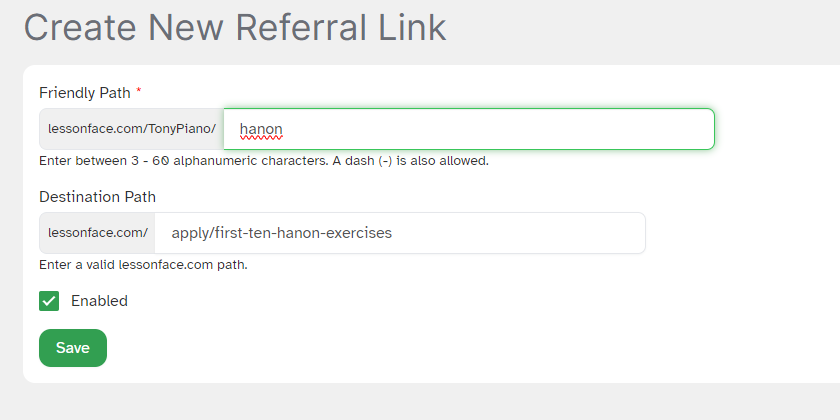
Anyone who joins Lessonface with any of your referral links will be marked as your referral, which has delightful impacts on Lessonface's fees and can help you earn. You might want to add your Downloadables and Self-Paced Course links to your Lessonface profile, as well as to your social channels, website, relevant forums and subreddits, anywhere you think people would be browsing that might find the content of interest.
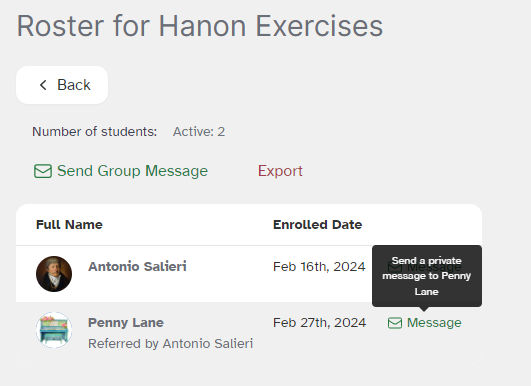
Anyone who accesses your downloadable will be available for you to send a message from the "Roster" tab, which you can access from the Downloadable Page for each piece of content.

Start Lessons
Search for your perfect music, language, or arts teacher and start working towards your learning goals.
Start with a Free Trial
Teachers on Lessonface set their own rates and discounts. Participating teachers offer free trials.
Great Teachers, Great Lessons, Guaranteed
Learn more about the greatest universe for online music and arts lessons.

Lessonface Recitals, Open Mics, Masterclasses, and Jams
Welcome students of all ages and skill levels!