
How to Respond to a Student Inquiry
Lessonface's new Ask feature is a forum designed to further student-teacher interaction on the site. Using the Ask feature, students can post music-related questions and seek out the teachers best suited to their needs. Participating in the Ask forum is a great way to build new relationships within the Lessonface community.
Here's how it works:
On the Dashboard, click the tab labeled "View Open Inquiries".

By default, all open inquiries will be displayed. You can filter inquiries by instrument category using the drop-down menu; be sure to hit Apply once you've selected one or more categories.
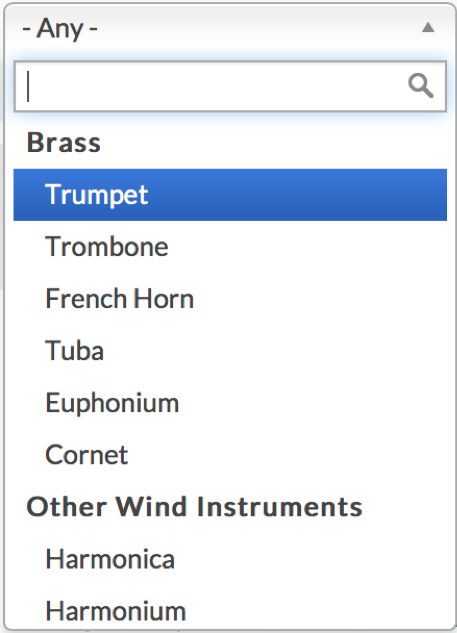

After you've filtered by category, all open inquiries in the selected categories will be displayed. To view the full text of an inquiry, click View. (Note: in order to keep student inquiries current, inquiries expire after two weeks.)

Below the message text, there will be a line indicating whether or not the student is looking to take lessons; you may want to keep this in mind in your response. Hit Respond to write a reply.


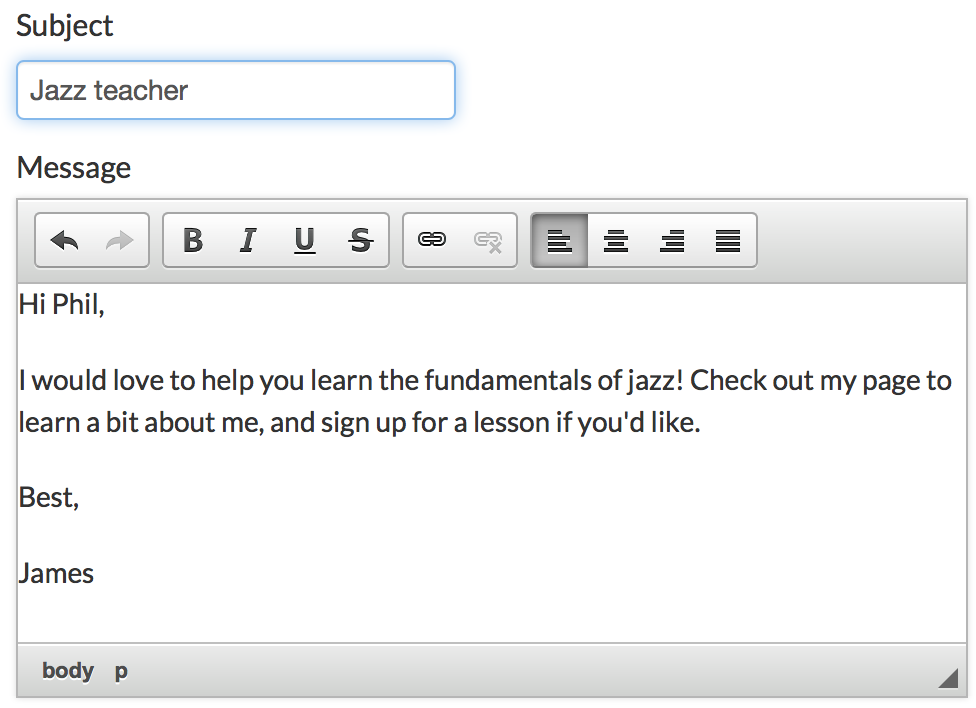
Write your reply to the student and click Send Message. The message will appear in the student's inbox.


Start Lessons
Search for your perfect music, language, or arts teacher and start working towards your learning goals.

Start with a Free Trial
Teachers on Lessonface set their own rates and discounts. Participating teachers offer free trials.

Great Teachers, Great Lessons, Guaranteed
Learn more about the greatest universe for online music and arts lessons.

Lessonface Recitals, Open Mics, Masterclasses, and Jams
Welcome students of all ages and skill levels!